Description
One of the most played games worldwide is Minecraft. Together, millions of players construct homes, explore caverns, and embark on adventures. However, a crucial question remains for many players: Is Minecraft Cross-Platform?
The straightforward response is “yes,” but it varies depending on the game version you are using. While some versions don’t let players on different devices play together, others do.
You will discover all there is to know about Is Minecraft Cross Platform?, which devices support it, and how to play with friends on various platforms in this easy-to-read guide. Anyone can easily understand the explanation because it is written in very basic terms.
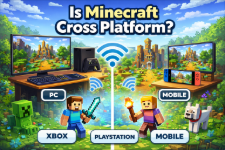
What Does Cross Platform Mean?
Cross-platform, also known as crossplay, refers to the ability for users of various devices to collaborate on an online game. For instance:
One friend has an Xbox.
On the PlayStation, another
Another is playing on a cell phone.
They can all join the same game world if crossplay is supported.
Because it enables friends to play together even if they own different devices, cross-platform gaming has become extremely popular.
Is Minecraft Cross Platform?
Indeed, cross-platform play is supported in Minecraft, but only in the Bedrock Edition.
This implies that if players are using the Bedrock version of Minecraft, they can join the same world on different devices.
There is a crucial distinction, though: there are two primary versions of Minecraft.
Bedrock Edition of Minecraft
Java Edition of Minecraft
When it comes to crossplay, these two versions operate differently.
Minecraft Editions Explained
Minecraft Bedrock Edition
The version intended for cross-platform play is called Bedrock Edition.
The following gadgets allow players to play together:
Windows PC (version from the Microsoft Store)
Xbox systems
PlayStation systems
The Nintendo Switch
Android smartphones
iPad and iPhone
Players can join each other’s worlds because all of these devices are connected to the same multiplayer system.
This shared system makes it simple for a player on a console to join a friend on a PC or mobile device.
Minecraft Java Edition
Java Edition is not the same.
Crossplay with Bedrock Edition or consoles is not supported by this version, which is primarily compatible with PCs.
Only other Java players are allowed to play.
In other words:
Play only with Java PC players.
Play only with other Bedrock players.
Therefore, the proper response to the question “Is Minecraft Cross Platform?” is:
For the Bedrock Edition, yes.
For Java Edition, no
Devices That Support Minecraft Cross Platform
If you are using Bedrock Edition, crossplay works across many devices.
Here are the main platforms that can play together:
PC
- Windows 10 / Windows 11 (Bedrock version)
Consoles
- Xbox One
- Xbox Series X/S
- PlayStation 4
- PlayStation 5
- Nintendo Switch
Mobile Devices
- Android phones and tablets
- iPhone and iPad
All these platforms can join the same multiplayer worlds through Bedrock Edition.
Why Minecraft Has Two Versions
Many players wonder why Minecraft has separate versions.
The reason is that the two editions were created differently.
Java Edition
- Developed originally for PC
- Written in the Java programming language
- Known for mods and custom servers
Bedrock Edition
- Designed to work across many devices
- Built for consoles and mobile devices
- Uses a unified system for multiplayer
Because these versions use different technology, they cannot directly connect to each other
How to Play Minecraft Cross Platform
Use these easy steps to play with friends on different devices.
Step 1: Ensure Bedrock Edition is used by all
Crossplay is limited to Bedrock.
Step 2: Establish a Microsoft Account
To enable cross-platform multiplayer, each player must have a Microsoft account.
Step 3: Include Friends
Friends can be added by using their Gamertag.
Step 4: Accompany the Same World
You can invite friends into your game world after they’ve been added.
Together, you can then explore, construct, and survive.
Example of Cross Platform Gameplay
Let’s look at a simple example.
Imagine three friends:
- Ali plays on Xbox
- Sara plays on an Android phone
- Ahmed plays on a Windows PC
If all of them use Bedrock Edition, they can enter the same world and play together.
But if Ahmed is using Java Edition, he will not be able to join the others.
This example shows why understanding the edition is important when asking Is Minecraft Cross Platform?
Minecraft Realms and Crossplay
Realms are Minecraft-hosted online servers that let friends play together whenever they want.
Realms have these benefits:
The world stays online even when the host isn’t.
Friends can come in at any time.
Works on all Bedrock platforms
Realms make it easier for friends to play together on different platforms.
Can Java and Bedrock Play Together?
A lot of players want Java and Bedrock players to be able to play in the same world.
But this is not officially supported.
Some advanced server plugins, like special server tools, try to link the two versions together. But these fixes aren’t official and might not work perfectly.
Because of this, most players just use Bedrock Edition when they want to play with others.
Benefits of Minecraft Cross Platform
There are many benefits to gaming across platforms.
1. Play with more friends
Players can now use any type of device.
2. A bigger community of players
Crossplay lets players from different platforms join the same servers.
3. A better experience for multiplayer
You don’t have to buy the same console as your friends.
Crossplay has become an important part of modern games because of these benefits.
Common Problems With Cross Platform Play
Minecraft crossplay works well most of the time, but players do run into small problems.
Here are a few that happen a lot:
Different Versions of the Game
Players need to make sure they are all using the same version of the game.
Problems with Microsoft Accounts
Everyone needs to log in correctly.
Connecting to the Internet
For multiplayer, you need a stable connection.
Most of these issues can be fixed quickly by restarting or updating the game.
Tips for Playing Minecraft With Friends
Here are some useful tips for people who are just starting out:
Always check which version you have
Make sure to update the game often.
Use Gamertags to add friends.
Use Realms to make multiplayer worlds that last a long time.
These little things make crossplay easier and more fun.
Conclusion
Minecraft is still one of the most popular sandbox games in the world. One reason it is so popular is that you can play with friends on a lot of different devices.
The best answer to the question “Is Minecraft Cross Platform?” is simple:
Bedrock Edition lets you play with people on different devices.
Only PC players can play Java Edition.
Bedrock Edition is the best choice if you want to build worlds and explore with friends on different platforms.
FAQs
1. Is Minecraft Cross Platform between Xbox and PlayStation?
Yes. Players on Xbox and PlayStation can play together if they are using Minecraft Bedrock Edition.
2. Is Minecraft Cross Platform between PC and mobile?
Yes. Windows PC (Bedrock version) can play with Android and iOS devices.
3. Can Java players play with Bedrock players?
No. Java Edition and Bedrock Edition are separate and do not officially support crossplay.
4. Do you need a Microsoft account for crossplay?
Yes. A Microsoft account is required to connect players across devices.
5. Which Minecraft version is best for playing with friends?
Bedrock Edition is the best option if you want cross-platform multiplayer.
Download links
How to install Is Minecraft Cross Platform? Play Across PC, Xbox, PlayStation APK?
1. Tap the downloaded Is Minecraft Cross Platform? Play Across PC, Xbox, PlayStation APK file.
2. Touch install.
3. Follow the steps on the screen.